
Categories
Kompass includes a built-in category management system that lets you group your posts. Each category can be customized with a unique name, slug, color, and icon.
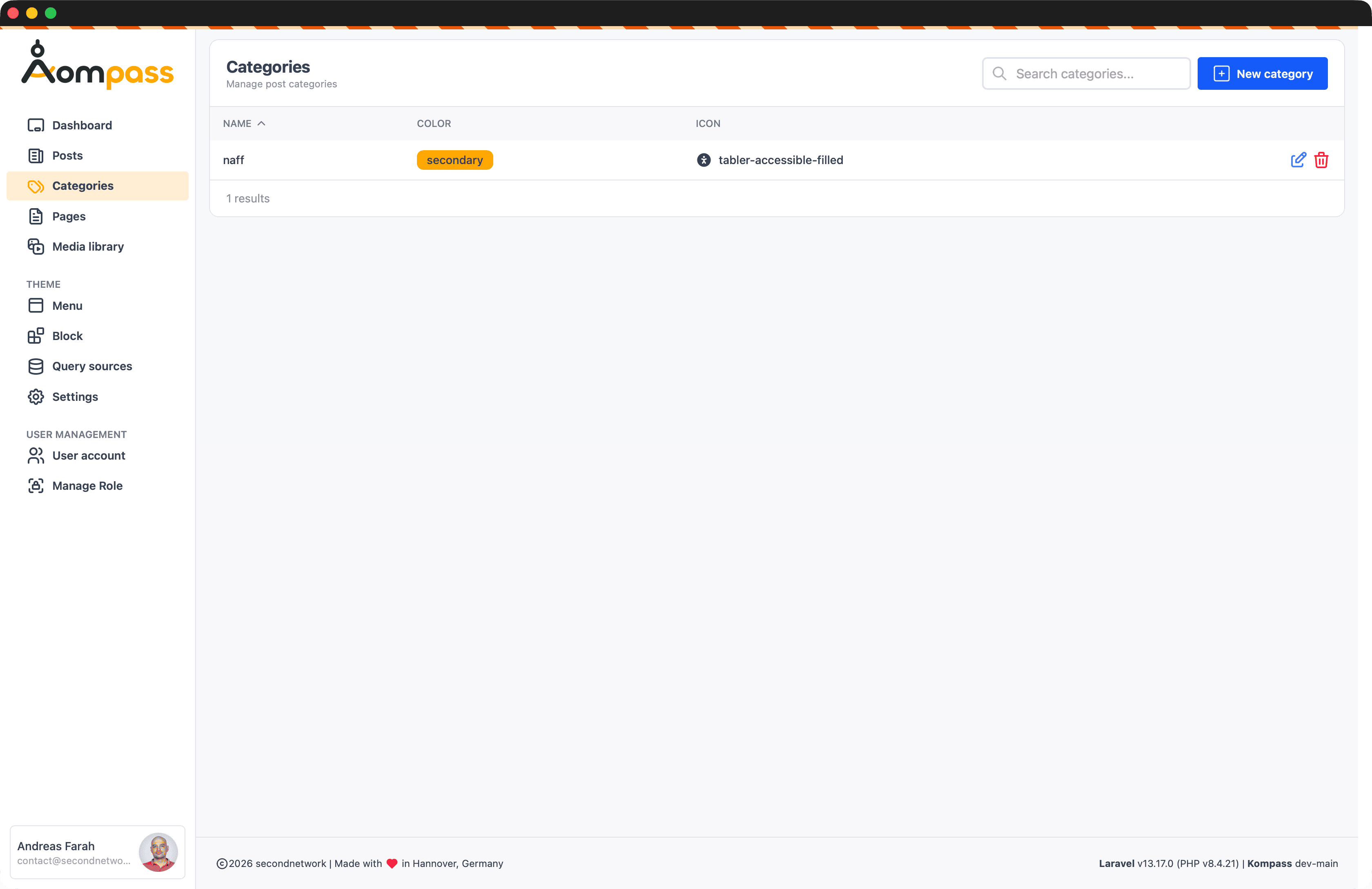
Overview
Categories provide a way to taxonomize your content. They are managed via a dedicated interface in the admin dashboard, where you can:
- Create, edit, and delete categories.
- Assign colors for visual differentiation (e.g., in badges).
- Choose icons from the built-in Tabler Icons set.
- Define descriptions for better SEO or frontend display.
- Set a custom sort order.
Managing Categories
Navigate to Admin > Categories to view the category table, which lists each category with its color badge and icon.
Creating a Category
Click New category to open the editor:
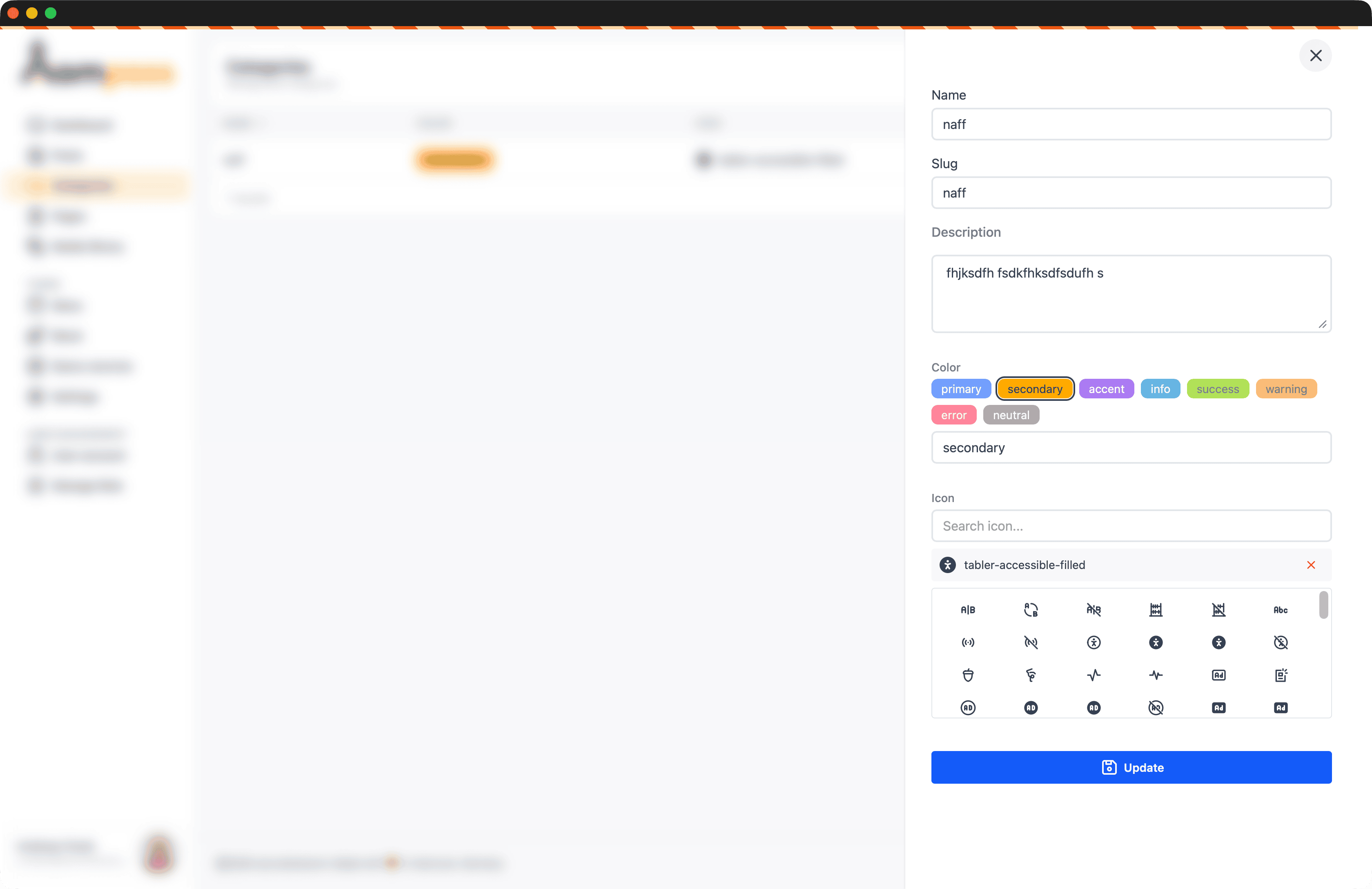
| Field | Required | Description |
|---|---|---|
| Name | Yes | The display name of the category. |
| Slug | No | URL-friendly version of the name (auto-generated from the name if empty). |
| Description | No | A short summary of the category. |
| Color | No | A named theme color (default: primary). |
| Icon | No | A Tabler icon name. |
| Order | No | Numeric value to control the display sequence (default: 0). |
Color
Color is picked from a fixed set of named theme colors — primary, secondary, accent, info, success, warning, error, and neutral. The chosen name is stored as-is in the color column and used to build the badge class (e.g. badge-secondary) on the frontend.
Icon Picker
The category editor includes an interactive Icon Picker. Search for an icon by name and click it; Kompass stores the full tabler- name (e.g. tabler-accessible-filled).
Using Categories in Code
Categories are standard Eloquent models. You can access them via the Secondnetwork\Kompass\Models\Category class.
Relationships
Each post belongs to one category (posts.category_id), and a category has many posts:
// A post's category (belongsTo)
$post = Post::find(1);
$category = $post->category;

echo $category->name;
echo $category->icon;   // e.g. tabler-accessible-filled
echo $category->color;  // e.g. secondary

// All posts in a category (hasMany)
$category = Category::where('slug', 'naff')->first();
$posts = $category->posts;
Frontend Badges
Use the category's color and icon to render a badge in your Blade templates:
@if ($post->category)
    <span class="badge badge-{{ $post->category->color }} flex items-center gap-1">
        @if ($post->category->icon)
            @svg($post->category->icon, 'w-4 h-4')
        @endif
        {{ $post->category->name }}
    </span>
@endif