
Menu Builder
Kompass's Menu Builder lets you create and manage navigational menus for any area of your site — header, footer, sidebar, or anything custom — without touching code.
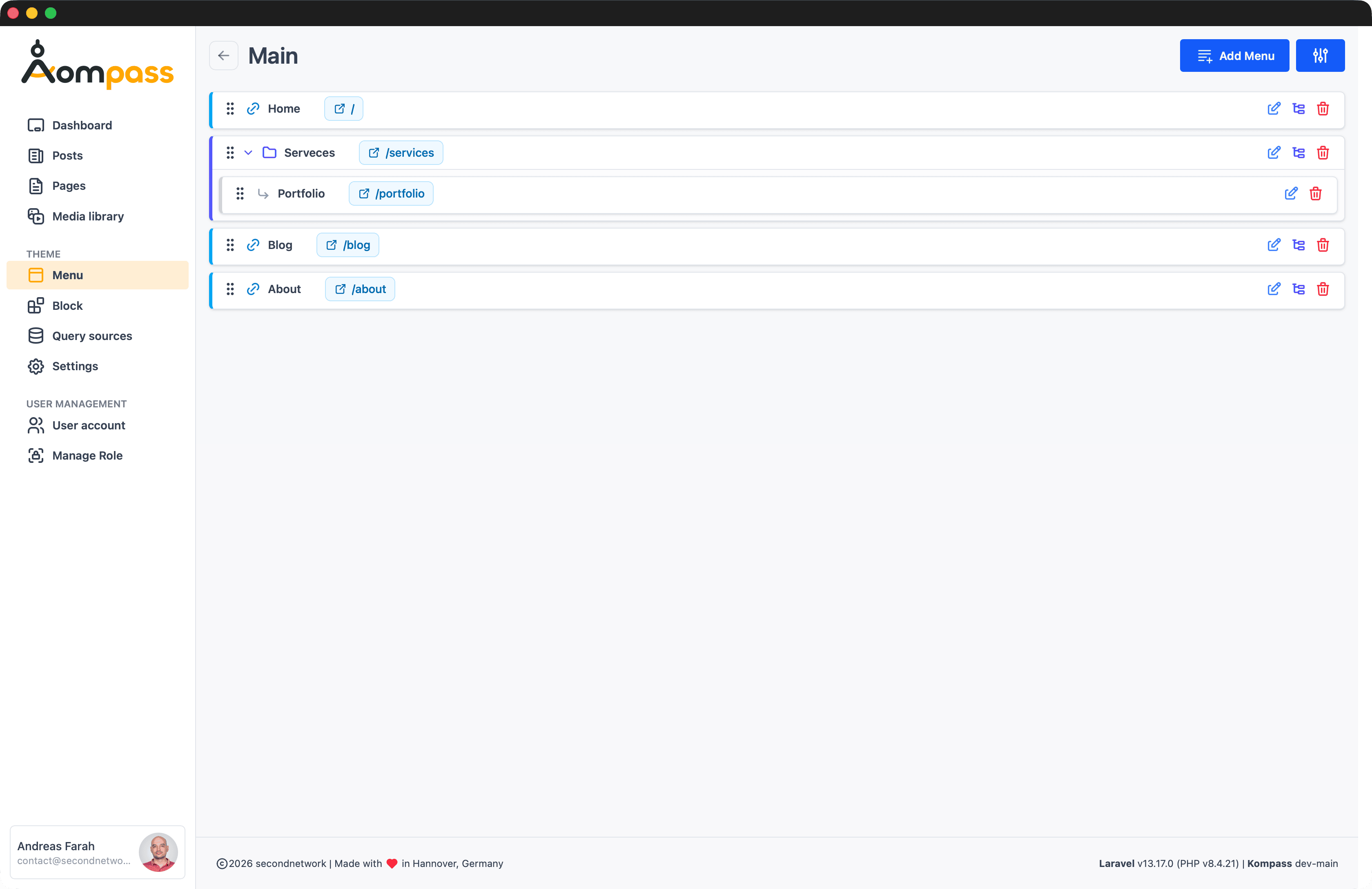
Managing Menus
Go to Tools → Menu Builder to create, edit, or delete menus (e.g. Header, Sidebar, Footer). Each menu gets a unique slug that you reference when rendering it in Blade.
Adding Items
Click Builder next to a menu to open the item editor. Drag items to reorder them or nest them under a parent to create dropdown levels, then click an item to edit it in the side panel.
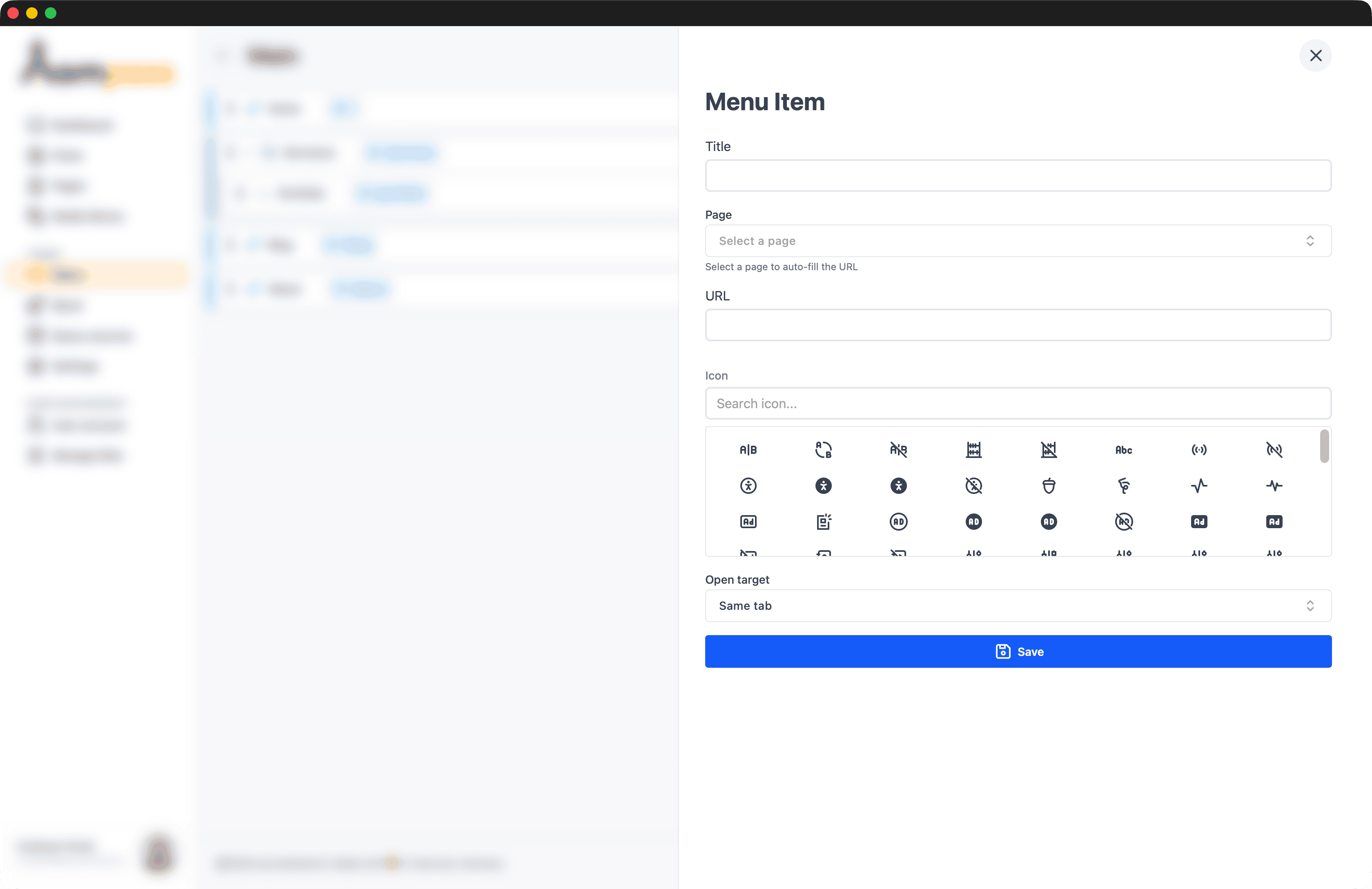
Each item has the following fields:
| Field | Required | Description |
|---|---|---|
| Title | Yes | Display label shown in the menu |
| Page | No | Pick a page to auto-fill the URL — no need to type it by hand |
| URL | Yes | The link target. Filled automatically when you select a page, or enter any internal/external URL |
| Icon | No | Searchable Tabler icon picker — type to filter, click to choose |
| Open target | No | Same tab (default) or New tab |
Page link vs. custom URL
Selecting a Page keeps the link in sync with that page's slug. Leave Page empty and fill URL directly for external links or routes that aren't Kompass pages.
The Admin Sidebar Menu
Kompass ships a built-in menu called Admin Sidebar (slug admin_aside). It's already wired into the backend navigation — the admin layout renders it with <livewire:menu name="admin_aside" />, right alongside the fixed entries (Posts, Pages, Media library, Settings…).
This is the supported, no-code way to add your own links to the backend sidebar. Open the Admin Sidebar menu in the Menu Builder, add an item pointing to your admin route, and it appears in the sidebar immediately:
| Field | Value |
|---|---|
| Name | Team Members |
| Route / URL | /admin/team (or the route name admin.team) |
| Icon | tabler-users-group |
Linking custom admin screens
When you build your own backend screen — for example a custom table view — register its route under the /admin group, then add it to the Admin Sidebar menu here. There's no need to override the package's admin layout.
Data Model
Kompass uses two Eloquent models under the hood:
- Menu —
id,name,group,slug,order,timestamps; has many MenuItems - MenuItem —
id,menu_id,subgroup,title,url,target,iconclass,color,order,timestamps
Rendering in Blade
Render a menu anywhere in your Blade templates using the menus Livewire component and passing the menu slug:
<livewire:menu name="main" />Alternative syntaxes work equally well:
<livewire:menu :name="'main'" />

@livewire('menus', ['name' => 'main'])
Use the menu group
Use the menu's group value (e.g. main, footer, admin_aside) as the name parameter — this is the unique identifier that links the rendered component to the menu data.