
Passkey Authentication
Kompass supports passwordless login via passkeys — biometrics, device PIN, or hardware security keys — using the laravel/passkeys package. Passkeys are phishing-resistant by design and require no password management on your end.
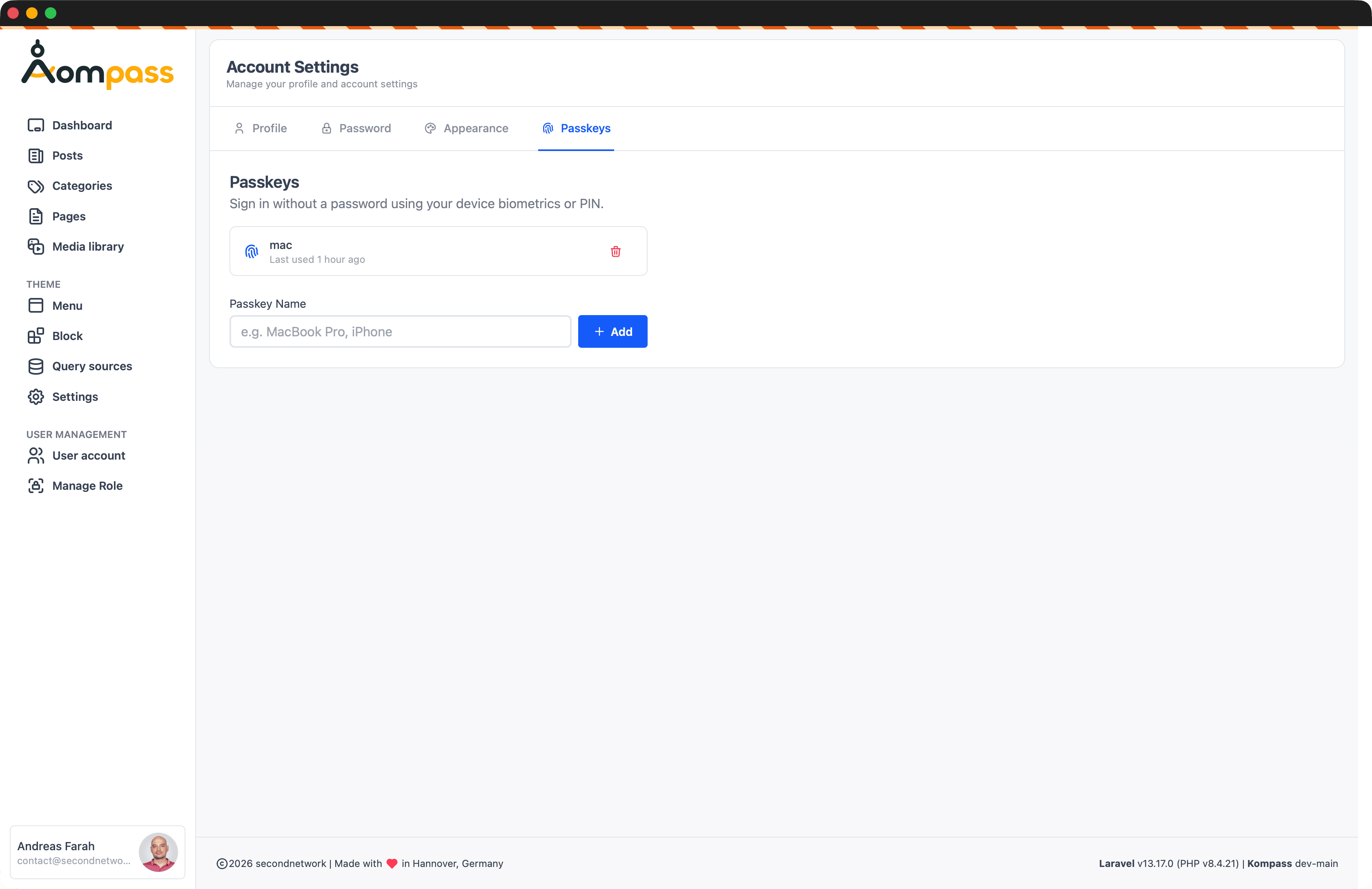
How It Works
Users register one or more passkeys in Account Settings → Passkeys. On subsequent logins they authenticate with their device instead of a password. The browser handles the cryptographic handshake; Kompass verifies the result against the registered credential.
First Login
If a user has no passkey registered when they first log in, Kompass redirects them to the passkey setup page before continuing to the backend. This ensures every account transitions to passkey authentication smoothly.
Configuration
Toggle passkey and password login independently under Settings → Backend:
| Setting | Description |
|---|---|
| Enable Passkeys | Allow passkey authentication |
| Disable Password Login | Force passkey-only login (no password fallback) |
Go fully passwordless
Disabling password login while passkeys are enabled gives you a fully passwordless backend. Users without a registered passkey will be prompted to create one before they can proceed.
Security
Passkeys are bound to the origin domain — a passkey registered on cms.example.com cannot be reused on any other site, making them inherently phishing-resistant. In addition to passkey security, Kompass enforces:
- Role middleware on all protected routes
- MIME type validation on logo uploads
- XSS prevention in SEO meta fields