
Relationship Block
The Relationship block lets editors pull records from any registered Eloquent model into a page or post and render them as a list — for example "the 5 latest blog posts", a curated set of team members, or related pages.
Learn by doing
For practical step-by-step instructions, check out our How to Use Relationship Blocks recipe — it walks through the generic setup and ends with a complete Team Members Section example.
It supports two modes:
- Automatic — Query a source by ordering + limit (a dynamic list).
- Manual — Hand-pick specific records via a dual-list picker with search and drag-and-drop ordering (a curated list).
Which sources are available, and how each record is rendered on the frontend, is fully driven by configuration — no block code changes are needed to add a new source.
Using the block (step by step)
This is the everyday workflow once at least one source exists. If no source is available yet, jump to Setting up a source first.
1. Add the block to a page
In the page/post builder, open the block palette and add a Relationship block (teal database icon). The block has no datafields — its whole configuration lives in the inline edit panel that appears on the block.
2. Choose a source
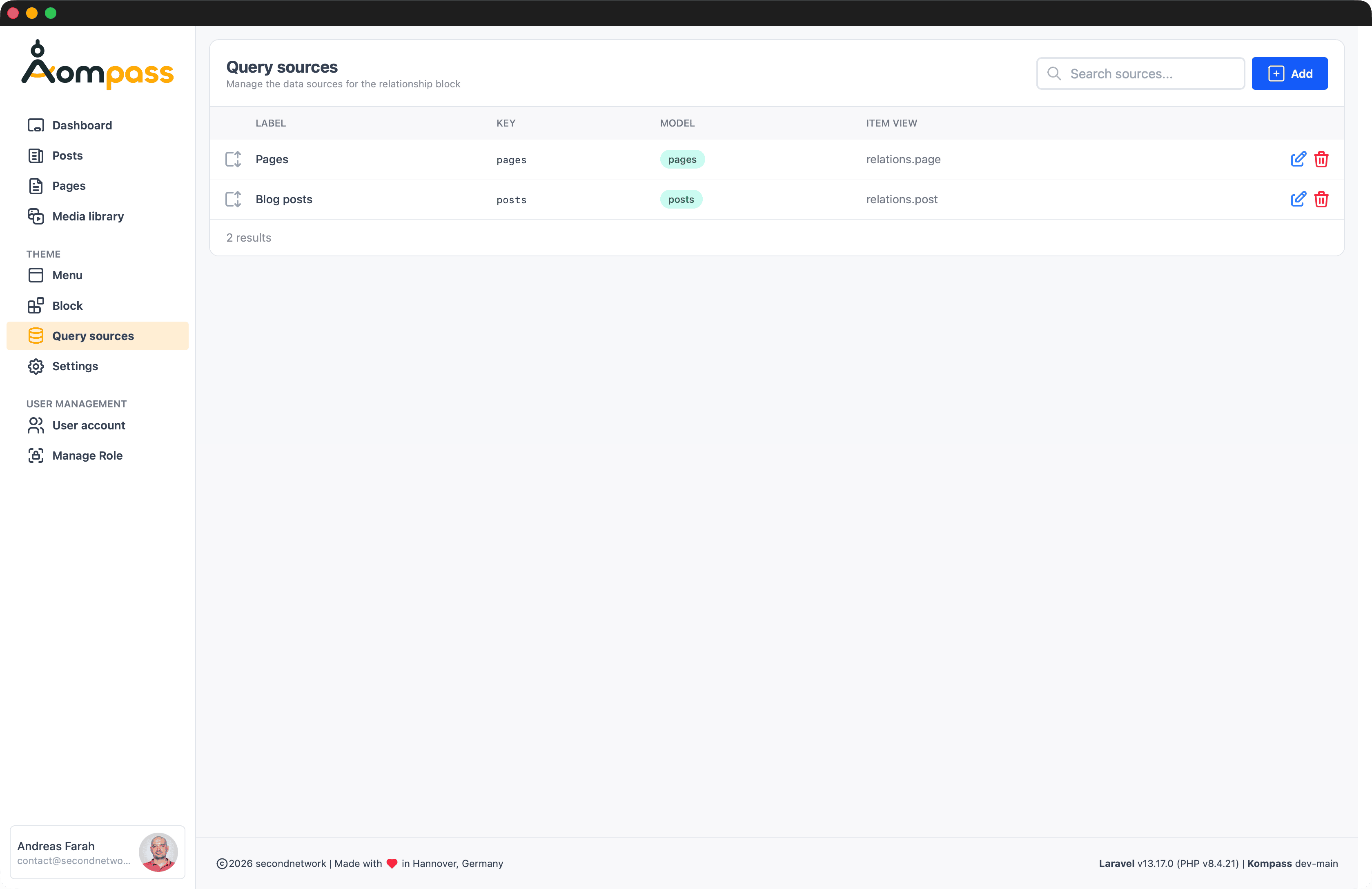
In the block's edit panel, open the Source dropdown and pick what to pull in (e.g. Blog posts, Pages, Team). The list comes from the registered sources (/admin/query-sources). Nothing else shows until a source is selected.
3. Pick a mode
A Mode toggle appears with two options:
| Mode | Use it when | What you configure |
|---|---|---|
| Automatic | The list should stay current on its own ("latest 5 posts"). | Order field, direction, limit. |
| Manual | You want an exact, hand-curated set in a specific order. | Which records, and their order. |
You can switch modes at any time; each mode keeps its own settings.
4a. Automatic mode
Three controls appear, plus a live preview of the matched records:
- Order by — A field from the source's allowed order fields (e.g.
created_at,title). - Direction — The ascending / descending icons toggle the sort order (default: descending).
- Limit — How many records to show (1–100, default 5).
The preview list updates immediately so you can see exactly what visitors will get. Records are also filtered by the source's status/scope (e.g. only published posts) — that part is fixed by the source, not editable per block.
4b. Manual mode
Two lists sit side by side:
- Available (left) — Every selectable record. Type in the search box to filter server-side (handy when there are many records); a spinner shows while it searches. Click a record (or the +) to add it.
- Selected (right) — Your chosen records, in the order they'll render.
- Reorder: Drag the grip handle (⋮⋮) to move a record up or down.
- Remove: Click the ✕ to send it back to Available.
The order on the right is exactly the order on the frontend.
5. Save and view
The block saves as you edit (each change writes block meta immediately). Publish / view the page and the records render through the source's configured item view — e.g. blog posts as cards with thumbnail and category, team members with photo and contact details. If a source has no item view, records render as plain title links.
Data Persistence
Switching auto → manual (or back) never loses data: your manual selection and your auto settings are stored under separate meta keys, so toggling just changes which one is used.
Setting up a source
Before editors can pick a source, an admin registers it once. Two steps:
- Allow-list the model in
config/kompass.phpunderquery_source_models(a key → model class map). This is a security guard — only allow-listed models can ever be queried. - Create the source at Admin → Query sources (
/admin/query-sources, admin role only): click Add, choose the allow-listed model, set the display fields, ordering, optional filters (status / scope), the frontend item view, and the wrapper layout. Drag rows to set their order in the editor's Source dropdown.
The full end-to-end walkthrough — migration, model, allow-list, source row, and item view — is the Team members worked example in the how-to guide.
Architecture at a glance
| Concern | Where |
|---|---|
| Block type registration | config/kompass.php → block_types.relationship |
| Allow-listed models | config/kompass.php → query_source_models (key → FQCN) |
| Selectable sources | query_sources table, managed at /admin/query-sources |
| Query execution / helpers | src/Helpers/helpers.php |
| Admin edit UI (inline) | resources/views/components/block/relationship.blade.php |
| Admin builder dispatch | resources/views/components/blocks-datafield.blade.php |
| Editor actions (Livewire) | src/Livewire/PagesData.php, src/Livewire/PostsData.php |
| Frontend rendering | resources/views/components/blocks/relationship.blade.php |
| Per-source item views | resources/views/components/relations/*.blade.php |
The configuration (chosen source, mode, ordering, limit, manual selection) is stored entirely in block meta — the block has no datafields.
Data model (block meta keys)
| Meta key | Type | Meaning |
|---|---|---|
query-model | string | The chosen source's key (resolved via query_models()). |
query-mode | string | auto (default) or manual. |
query-order | string | Column to order by (auto mode). |
query-direction | string | asc or desc (auto mode, default desc). |
query-limit | int | Max records to return (auto mode, clamped 1–100, default 5). |
query-ids | int[] | Selected record IDs in display order (manual mode). Stored as JSON. |
Configuration
Registering a source
Sources are database-managed: each row in the query_sources table is one selectable source, created and edited at Admin → Query sources. Before a source can point at a model, that model must be allow-listed in config/kompass.php:
// config/kompass.php
'query_source_models' => [
    'pages' => \Secondnetwork\Kompass\Models\Page::class,
    'posts' => \Secondnetwork\Kompass\Models\Post::class,
    // 'teams' => \App\Models\TeamMember::class,
],
Optional config sources
You can still hardcode a source in config('kompass.query_models'). Config sources are merged with DB rows and win on key collision.
Source Definition Fields
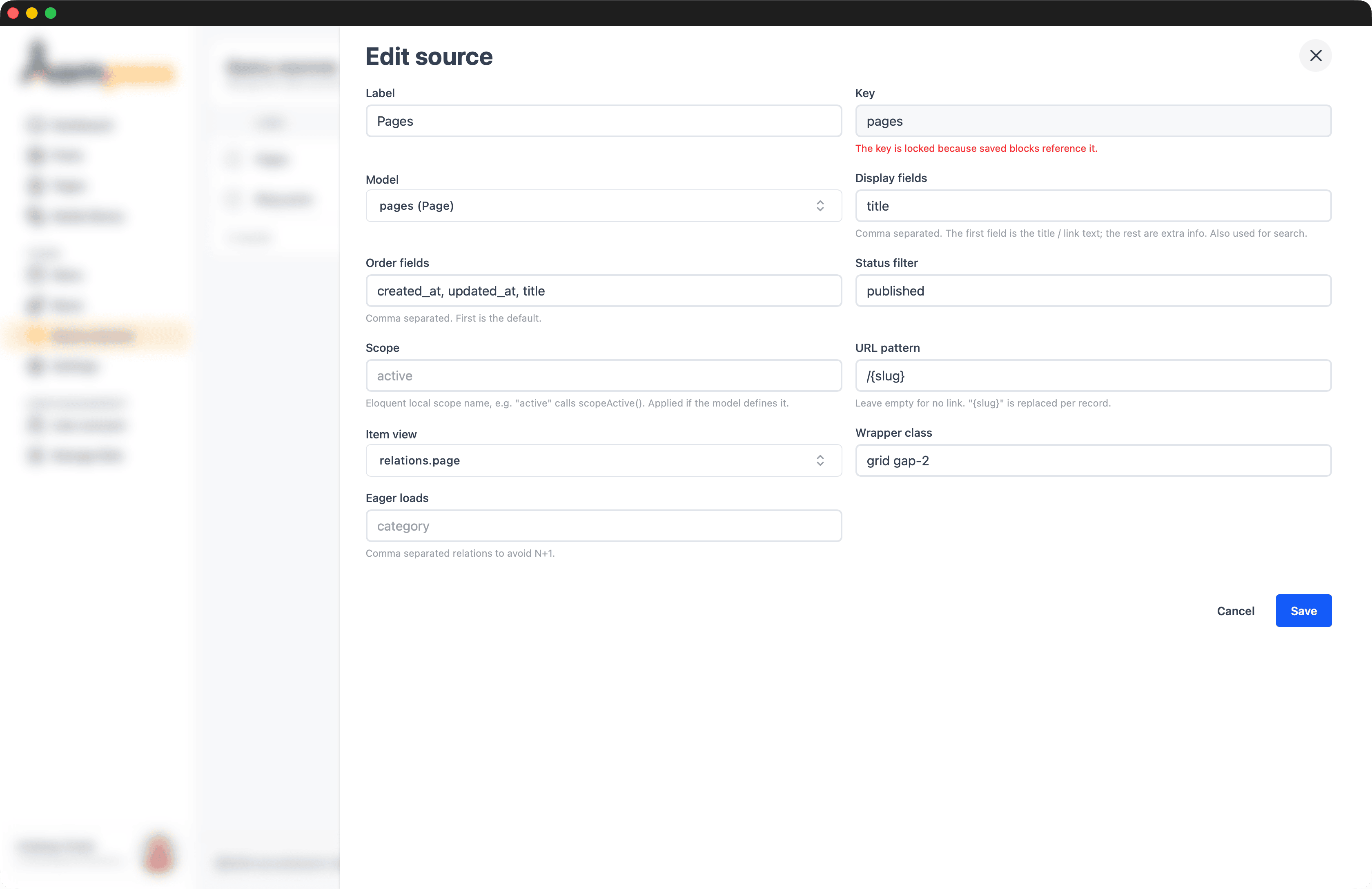
The Edit source drawer (at Admin → Query sources) exposes these fields. The Key is locked once saved blocks reference the source, so existing blocks never break:
| Key | Required | Description |
|---|---|---|
label | yes | Human label shown in the source <select>. |
model | yes | Eloquent model class, resolved from the row's model_key via the allow-list. |
display_fields | yes | List of attributes shown in the picker/preview and searched server-side. |
order_fields | yes | Columns offered in the "Order by" select (auto mode). |
url_pattern | no | URL built per record; {slug} is replaced with the record's slug. |
status | no | Simple where('status', <value>) filter (auto mode only). |
scope | no | Eloquent local scope applied to the query (e.g. active). |
item_view | no | Anonymous Blade component rendering one record on the frontend. |
wrapper_class | no | CSS classes for the element wrapping the rendered items. |
with | no | Relations eager-loaded on every queried record (Eager loads). |
Helper API
The Relationship block is driven by a family of global helpers — query_models(), kompass_query(), kompass_query_candidates(), kompass_query_url(), and kompass_query_label(). Their full signatures and behaviour are documented on the Helper Functions reference page.
Frontend rendering
The published block component resources/views/components/blocks/relationship.blade.php resolves the source's item_view and renders each record through it:
@php
    $records     = $selected ? kompass_query($item) : collect();
    $itemView    = $selected['item_view'] ?? null;
    $hasItemView = $itemView && view()->exists('components.' . $itemView);
@endphp

@if ($records->isNotEmpty())
    <div class="{{ $wrapper }}">
        @foreach ($records as $record)
            @php $url = kompass_query_url($modelKey, $record); @endphp
            @if ($hasItemView)
                <x-dynamic-component :component="$itemView" :record="$record" :url="$url" :model-key="$modelKey" />
            @else
                {{-- plain title link fallback --}}
            @endif
        @endforeach
    </div>
@endif
Item view contract
An item view receives:
$record: The Eloquent model instance.$url: The record's URL ornull.$modelKey: The source key (e.g.posts).
For a complete end-to-end walkthrough — migration, model, allow-list, source, and item view — see the Team members worked example in the how-to guide.